
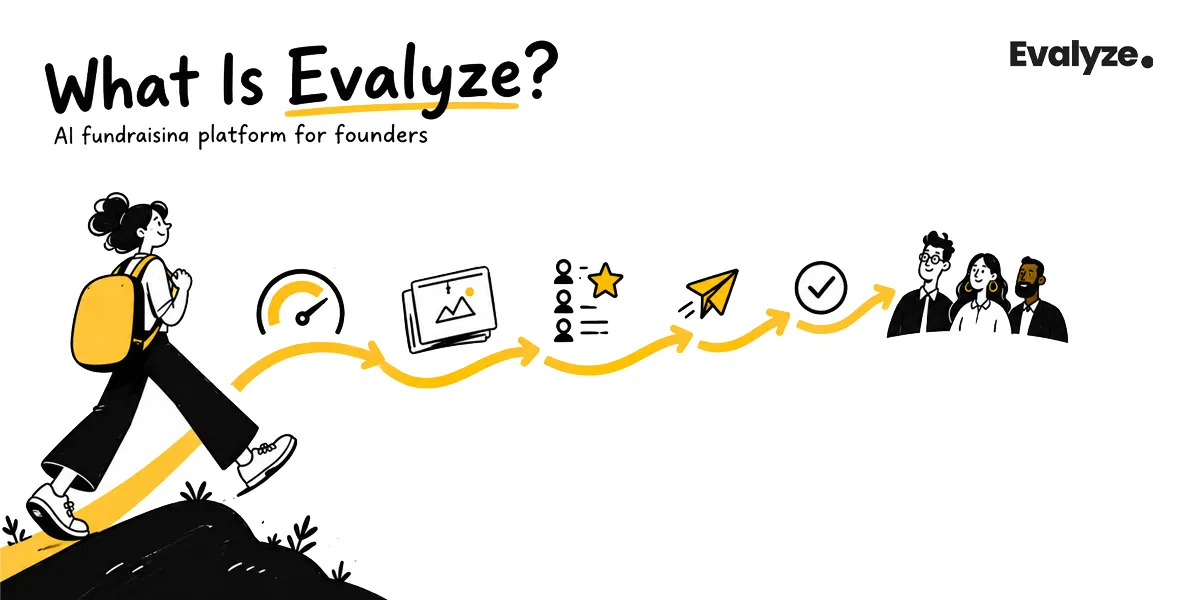
What Is Evalyze? AI That Runs Your Startup Fundraising
Evalyze is AI that runs your fundraising for pre-seed to Series A founders: readiness scoring, deck review, investor matching, and outreach you approve.
October 26, 2026
Connect Gmail, choose investors, create personalized emails, edit drafts, send outreach, and track every reply with Evalyze.

Evalyze Investor Outreach helps you prepare personalized investor emails, send them through your connected Gmail account, and manage every conversation from one inbox.
You remain responsible for choosing the investor, checking the draft, approving the message, and responding when the investor replies. Eva AI handles the initial research and writing work, but nothing should leave your account without your review.
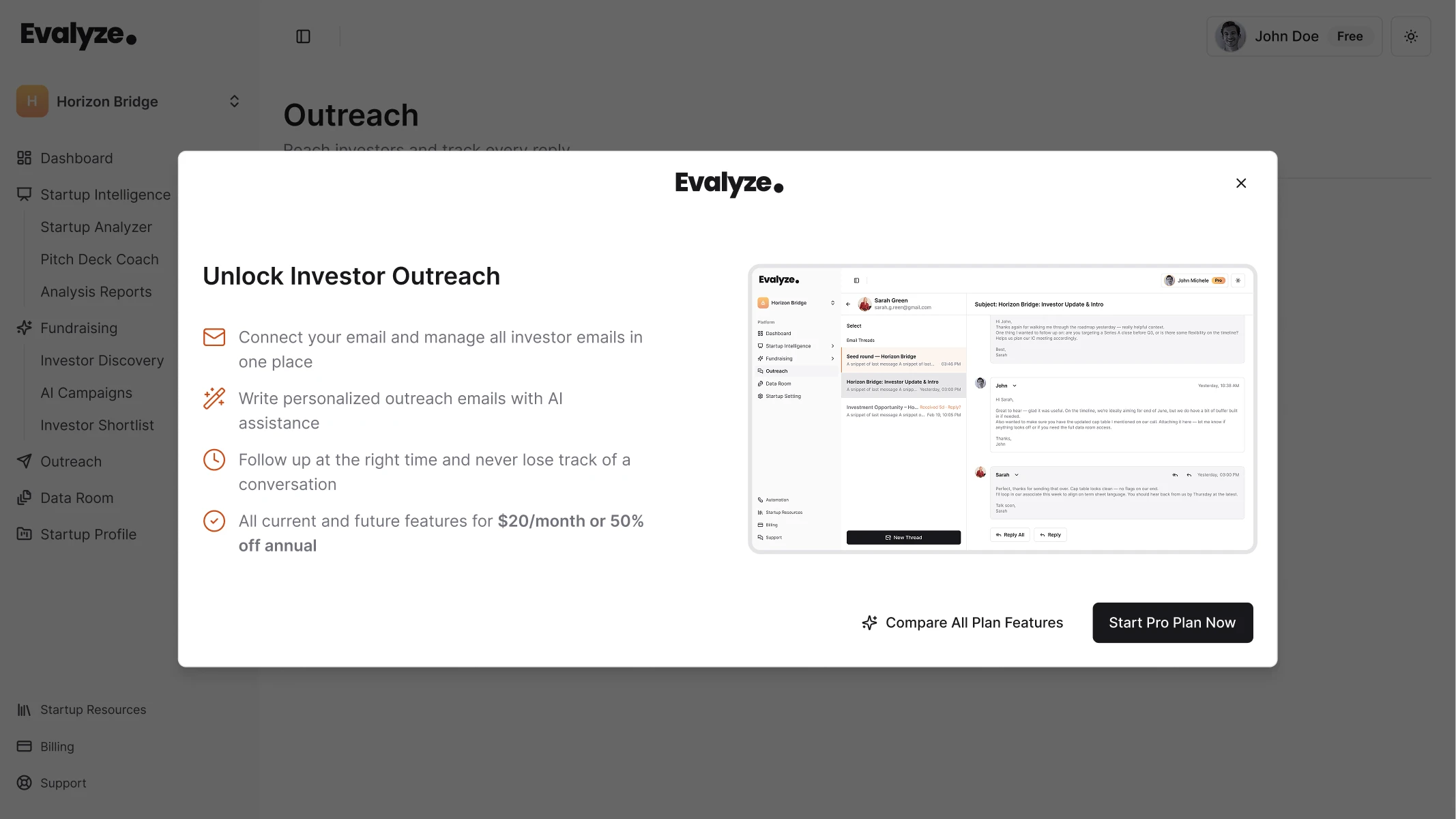
To use Evalyze Investor Outreach, you need:
You can start with a partial profile, but a more complete profile gives Eva better context about your company, traction, fundraising details, and positioning.
Before contacting investors, make sure your pitch deck supports the claims in your email. Evalyze AI Pitch Coach reviews your deck and helps identify areas that may need more clarity before investor conversations. For a closer look at the process, see our guide on how to use AI Pitch Coach.
The setup takes you from connecting Gmail to choosing an investor, generating a draft, and managing replies in one workspace.
Open your Evalyze dashboard and select Outreach from the left navigation.
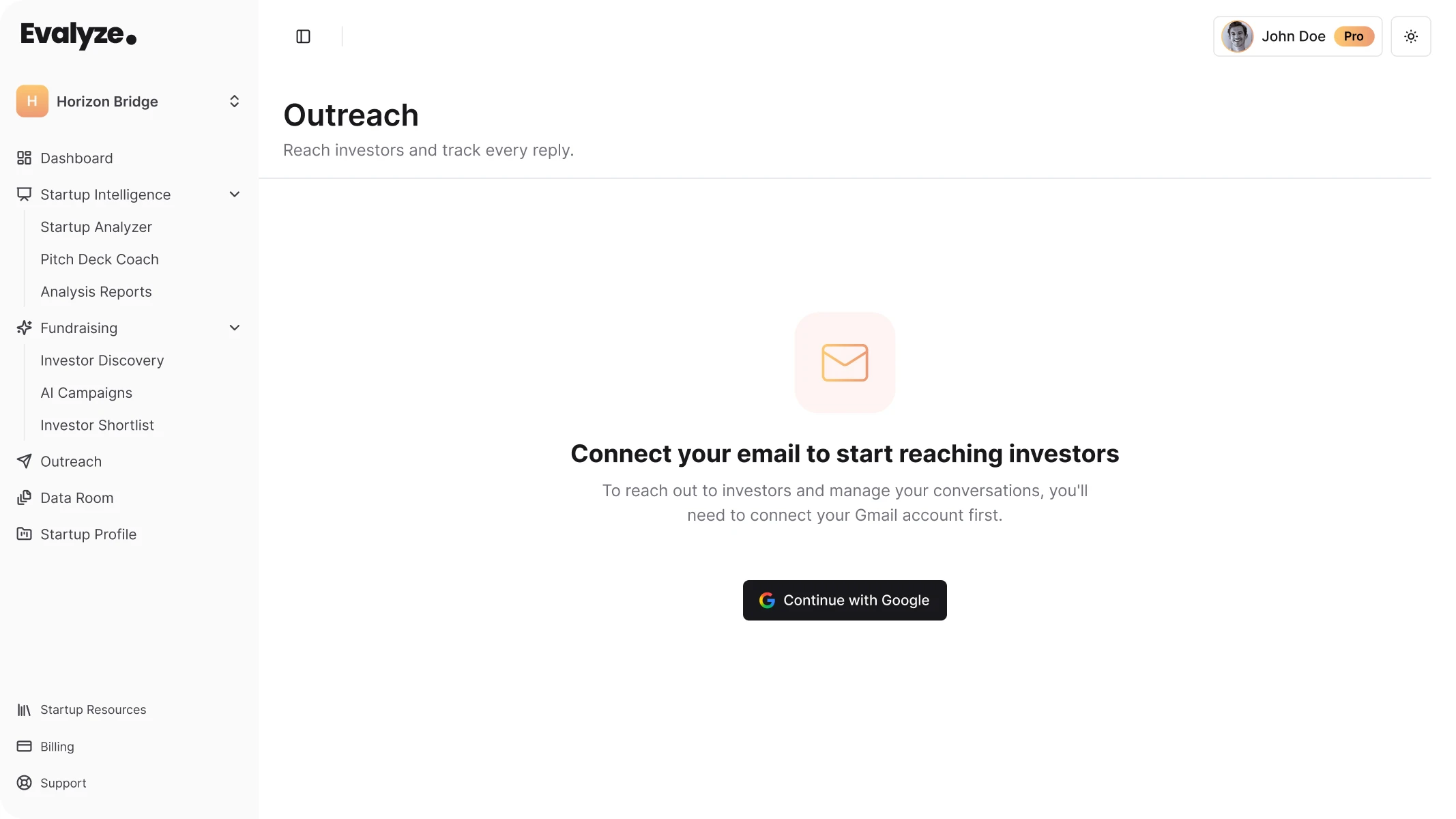
If no email account is connected, select Continue with Google, choose the Gmail account you want to use, and complete Google's authorization process.
Use an address that investors will recognize as yours or your startup's. If you already communicate professionally through a company-domain email, that is usually the stronger choice than an unrelated personal address.
After connecting your account, Evalyze displays an email-connected confirmation and the Start New Outreach option.
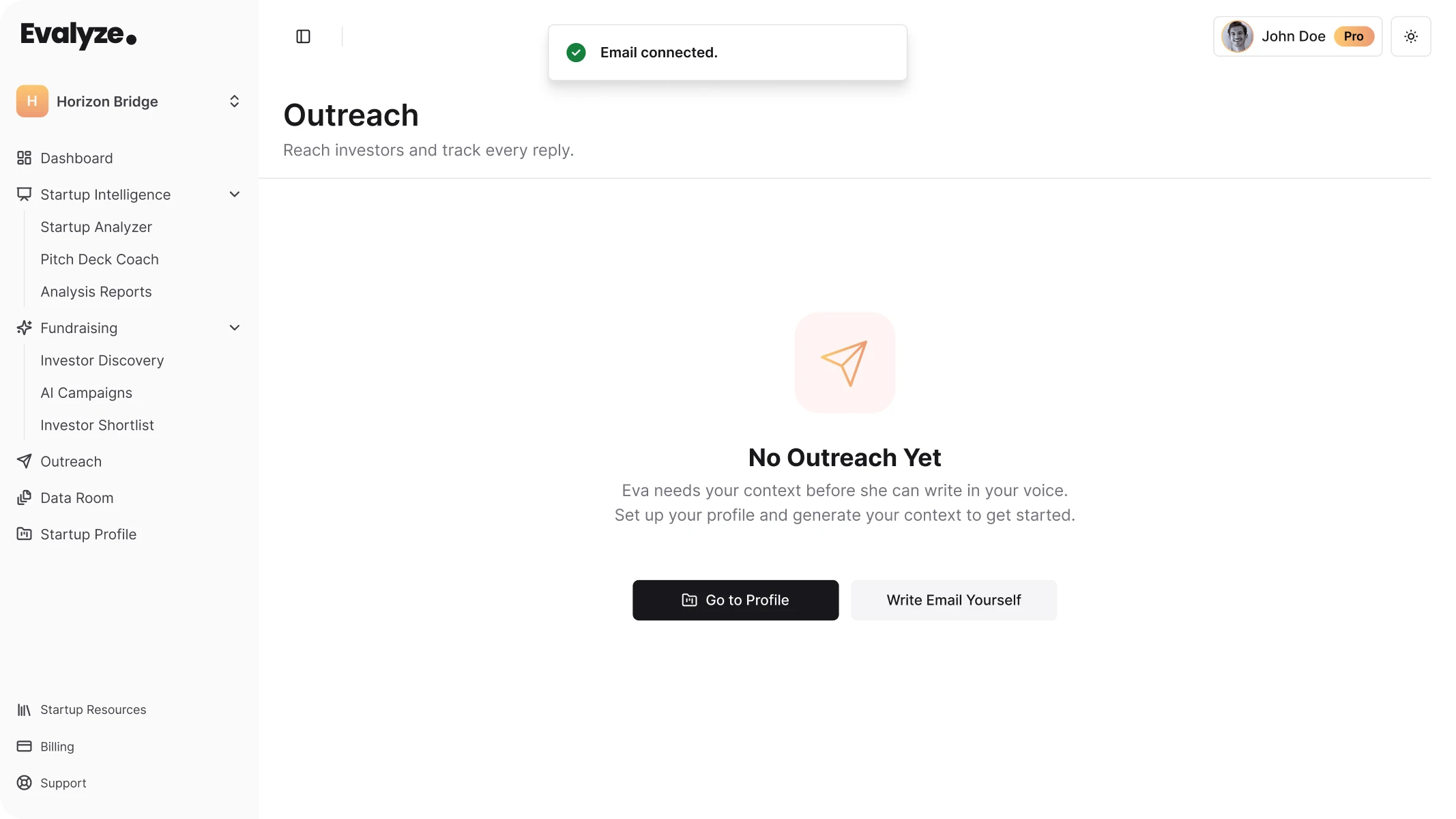
Select Start New Outreach.
You can choose an investor from:
If you are still building your shortlist, Evalyze Investor Matching can help you focus on investors that fit your stage, sector, geography, and expected check size before you begin outreach.
Search for the investor, select the right profile, and click Next.
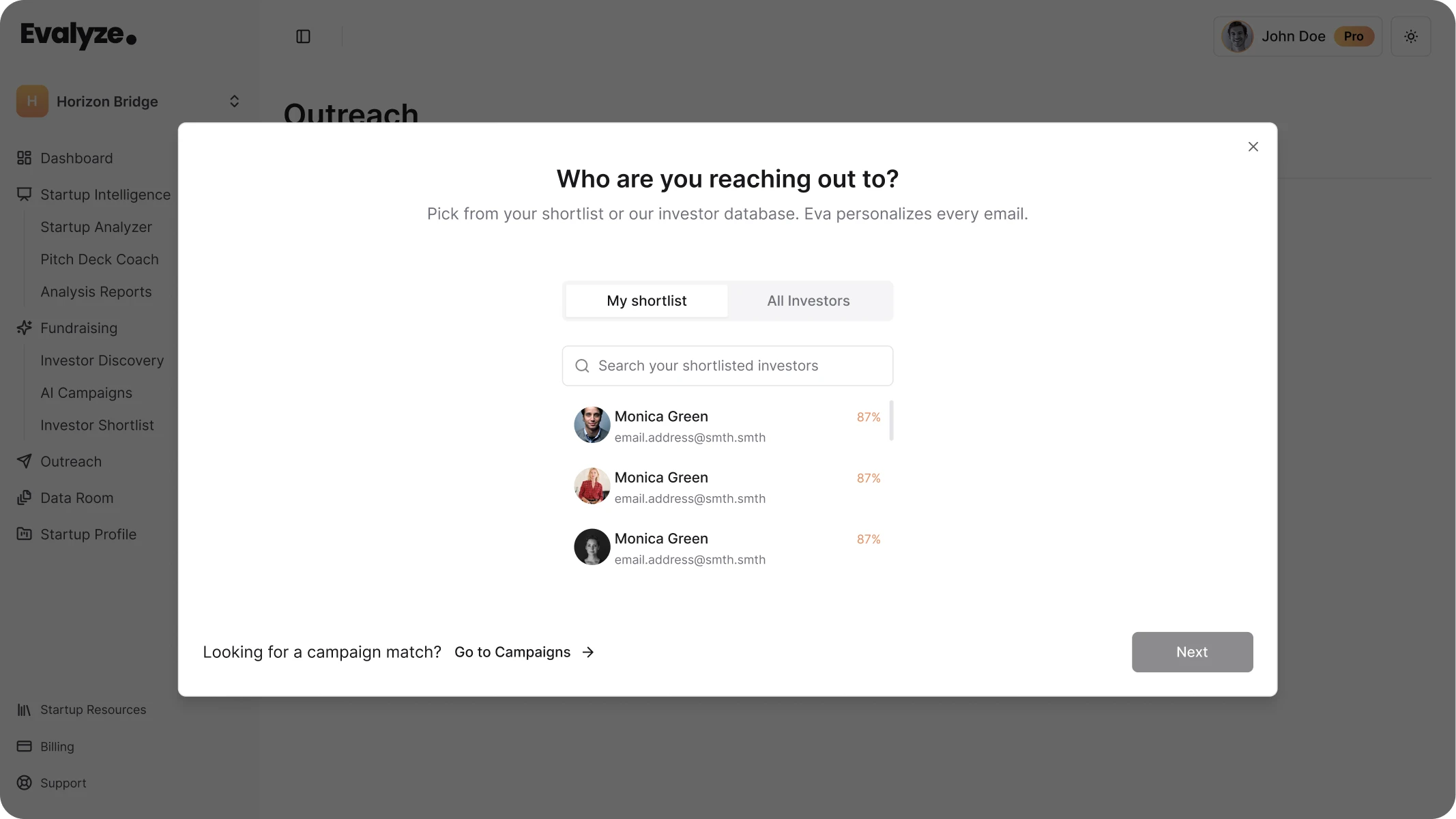
A match is a reason to investigate an investor, not a reason to email them immediately.
Before continuing, check that the investor still fits your:
Also review the investor's current thesis, recent activity, and portfolio for anything that would make the outreach irrelevant.
Investor information can change, so a short verification step is worth doing before sending a first message.
After selecting an investor, Evalyze opens the Let Eva handle the writing window.
You can currently choose from three outreach approaches:
You can also select the tone you want Eva to use. Choose the approach based on the conversation you genuinely want to start.
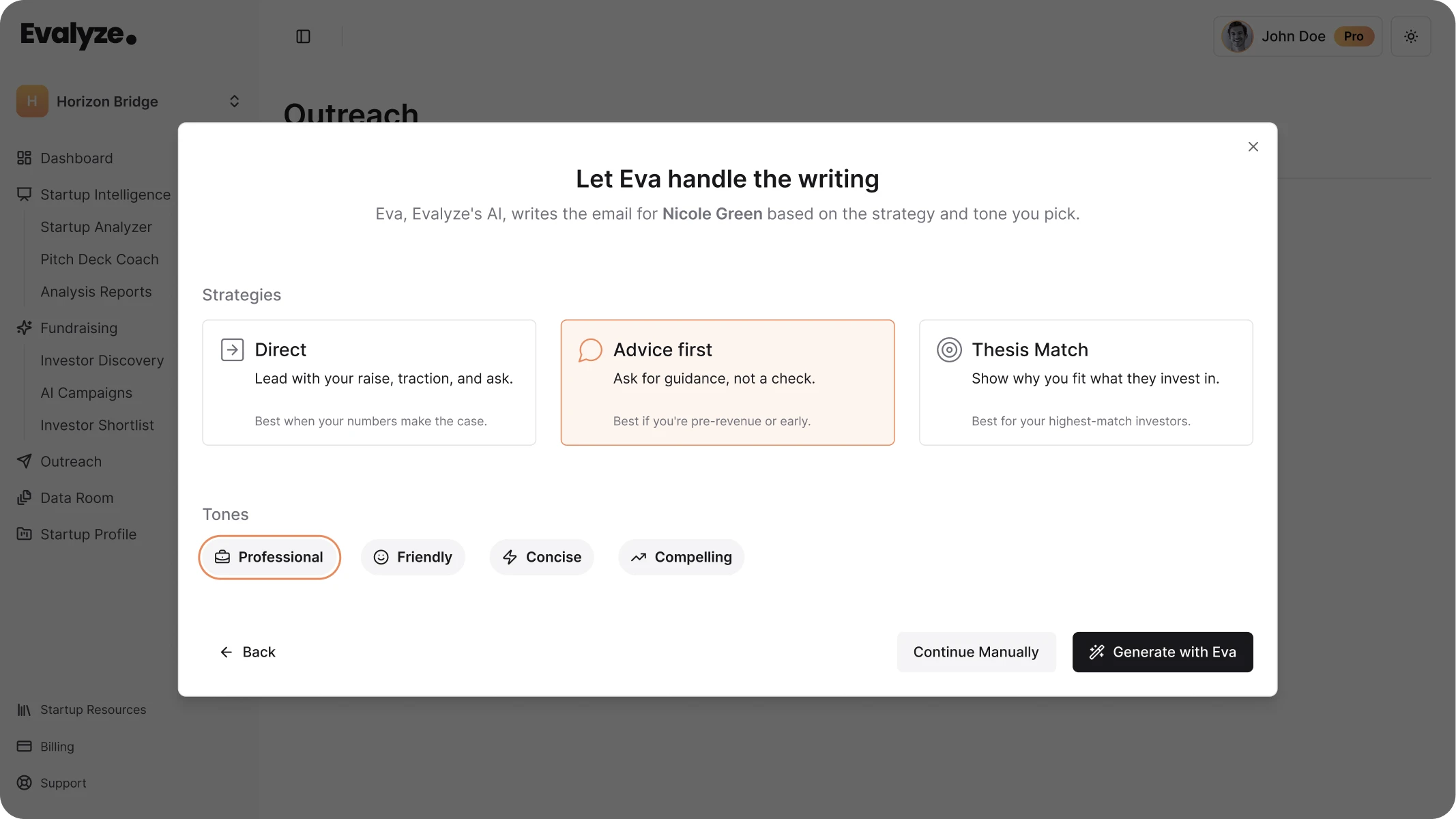
Avoid choosing a strategy simply because it sounds more persuasive. The email should reflect your actual fundraising position and your reason for contacting that specific investor.
Tone works the same way. A first email to an institutional fund may need a different voice than a message to an operator angel you already know.
Once you have selected your approach and tone, choose Generate with Eva.
You can also select Continue Manually if you want to write the message yourself.
Eva generates a draft using available information about your startup and the selected investor.
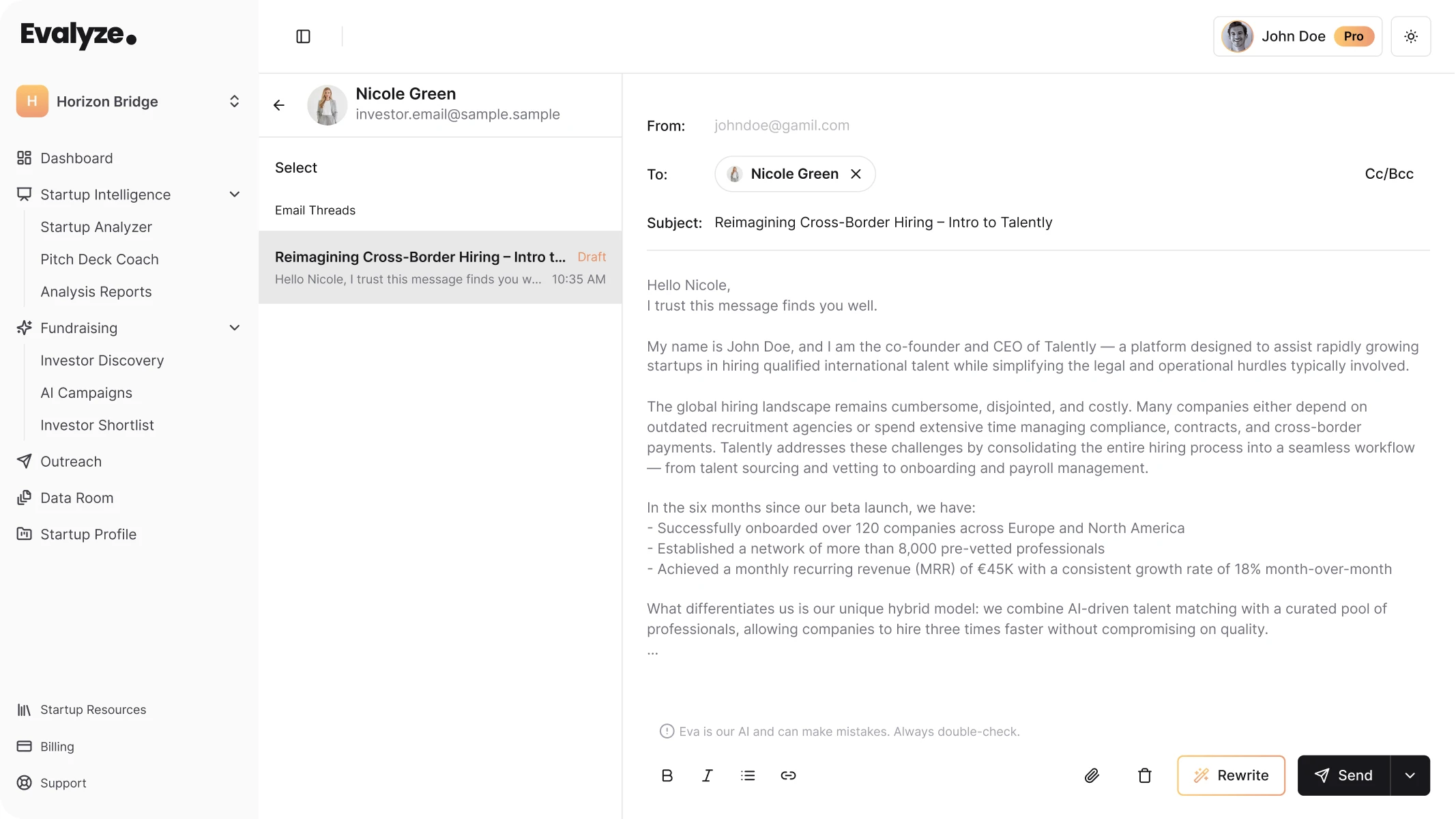
Treat the generated email as a draft, not a finished message.
Before sending, check:
Eva can make mistakes, so facts should always be verified against your company's information and current investor data.
The strongest first-touch emails also make it easy for the investor to understand three things quickly:
Remove background that does not help the investor evaluate the opportunity.
Select Rewrite if the first version needs work.
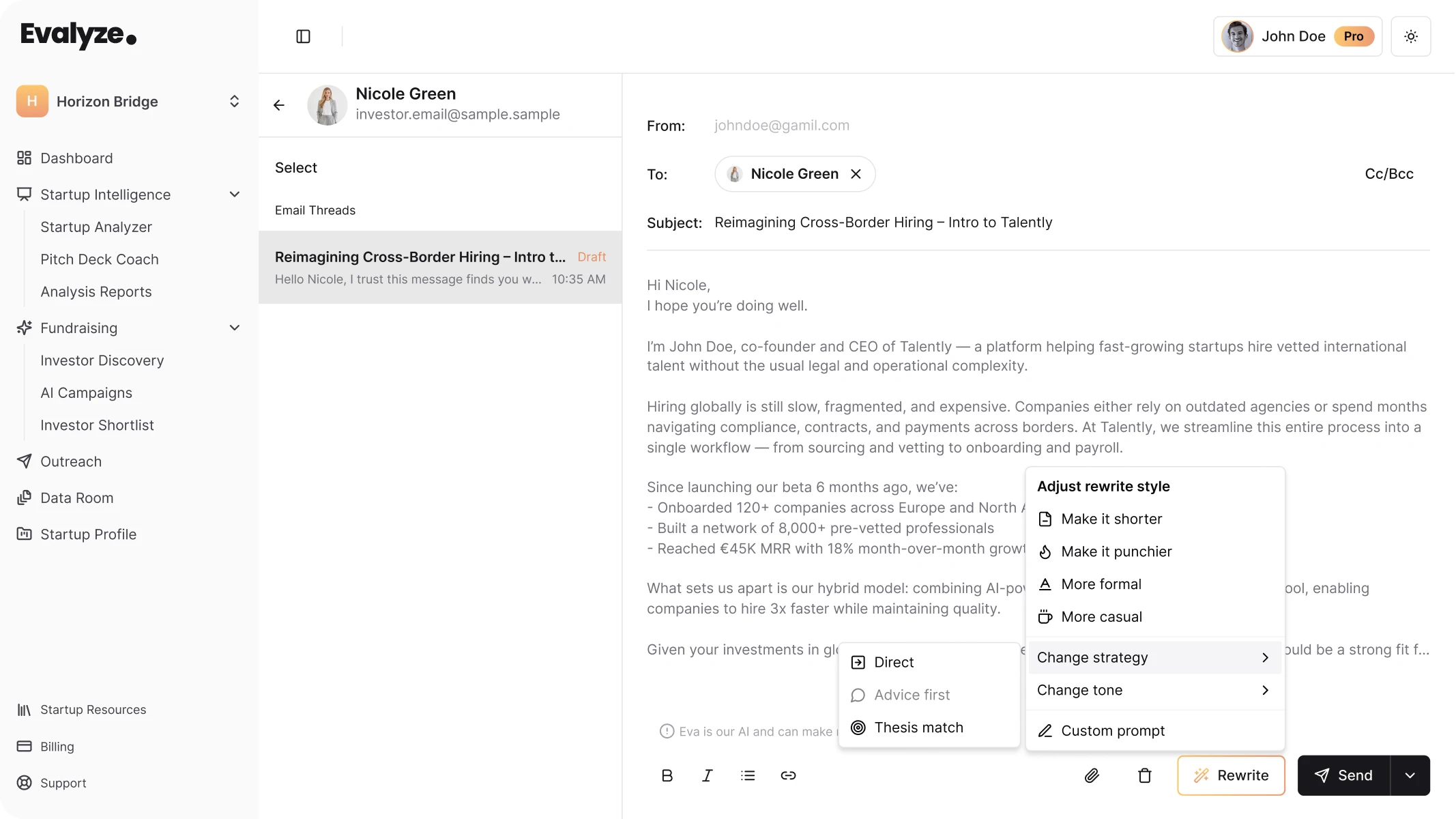
You can use the available controls to shorten the email, adjust its tone, change the outreach approach, or provide Eva with your own revision instructions.
Founder judgment still matters here. If the email feels too long, shorten it. If the personalization sounds forced, remove it. If the strongest proof point is buried halfway through the email, bring it forward.
Do not make a message more aggressive simply to make it sound impressive. Specific evidence usually works better than promotional language.
The composer also lets you attach files.
A first-touch investor email does not need to include every fundraising document you have prepared. Add the deck or another file when it supports the request you are making.
Before selecting Send, make one final check for factual accuracy, working links, the correct recipient, and one clear next step.
Because Gmail is connected, the email is sent from your own account.
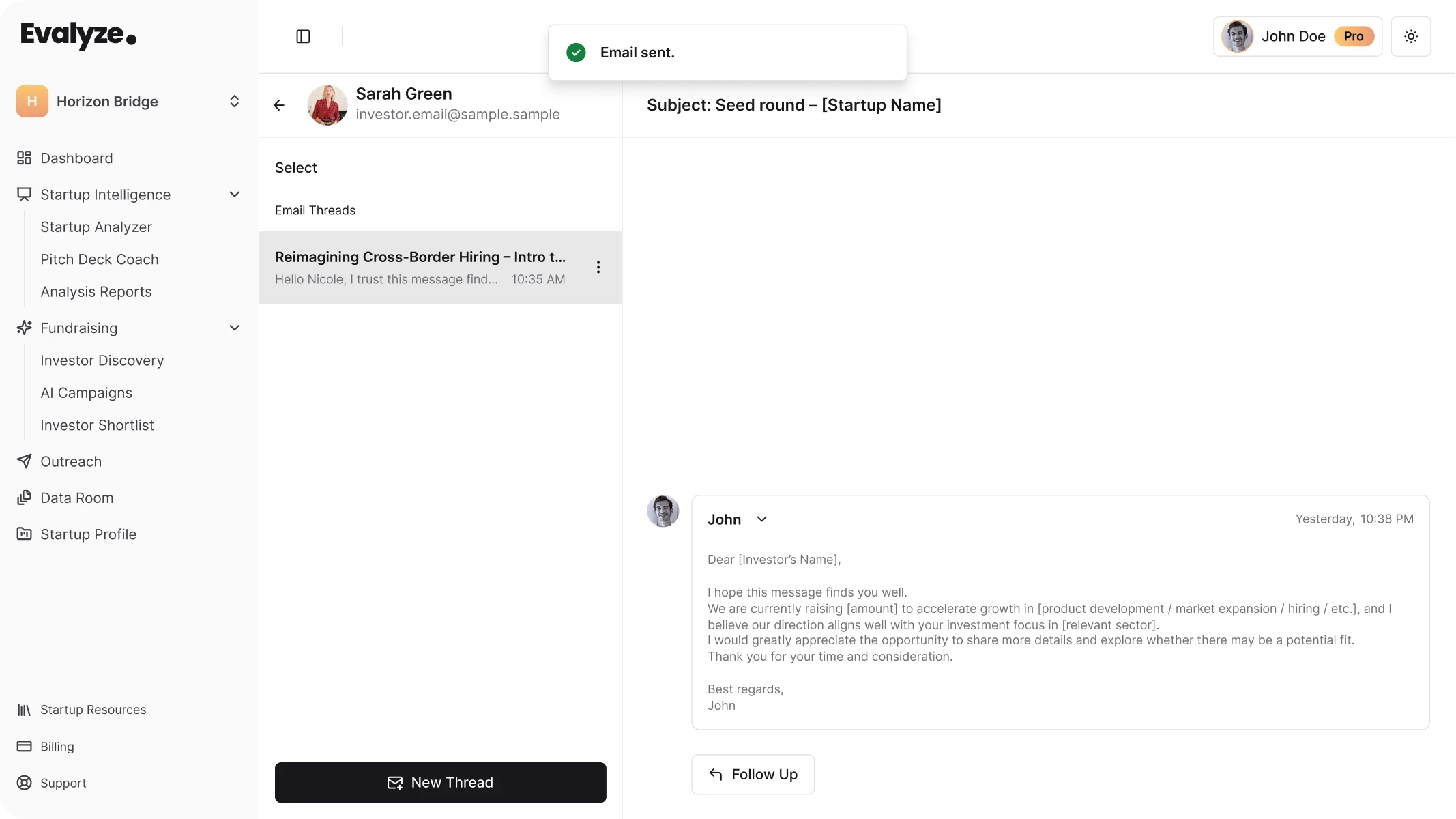
After sending an email, the conversation appears in the Outreach workspace.
Evalyze keeps sent messages, replies, drafts, and follow-up activity connected to the investor conversation.
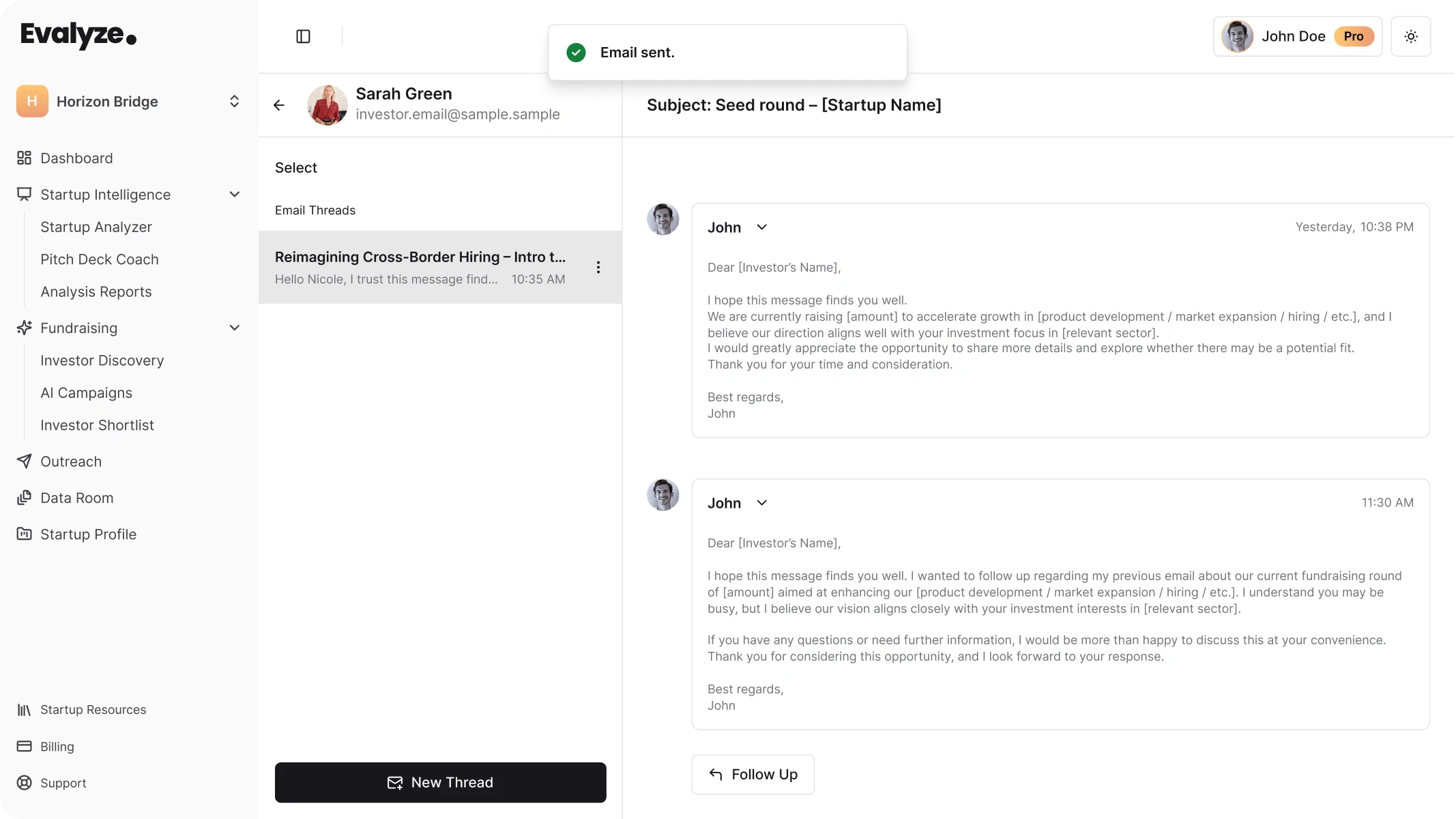
Open the thread before deciding what to do next.
If the investor has asked a question, answer that question rather than sending a generic follow-up. If your first email has not received a response, a short follow-up may make sense later.
Follow-ups should add context or make the next step easier. Repeating the original pitch with slightly different wording gives the investor little reason to reconsider.
The main Outreach inbox also helps you organize conversations by status.
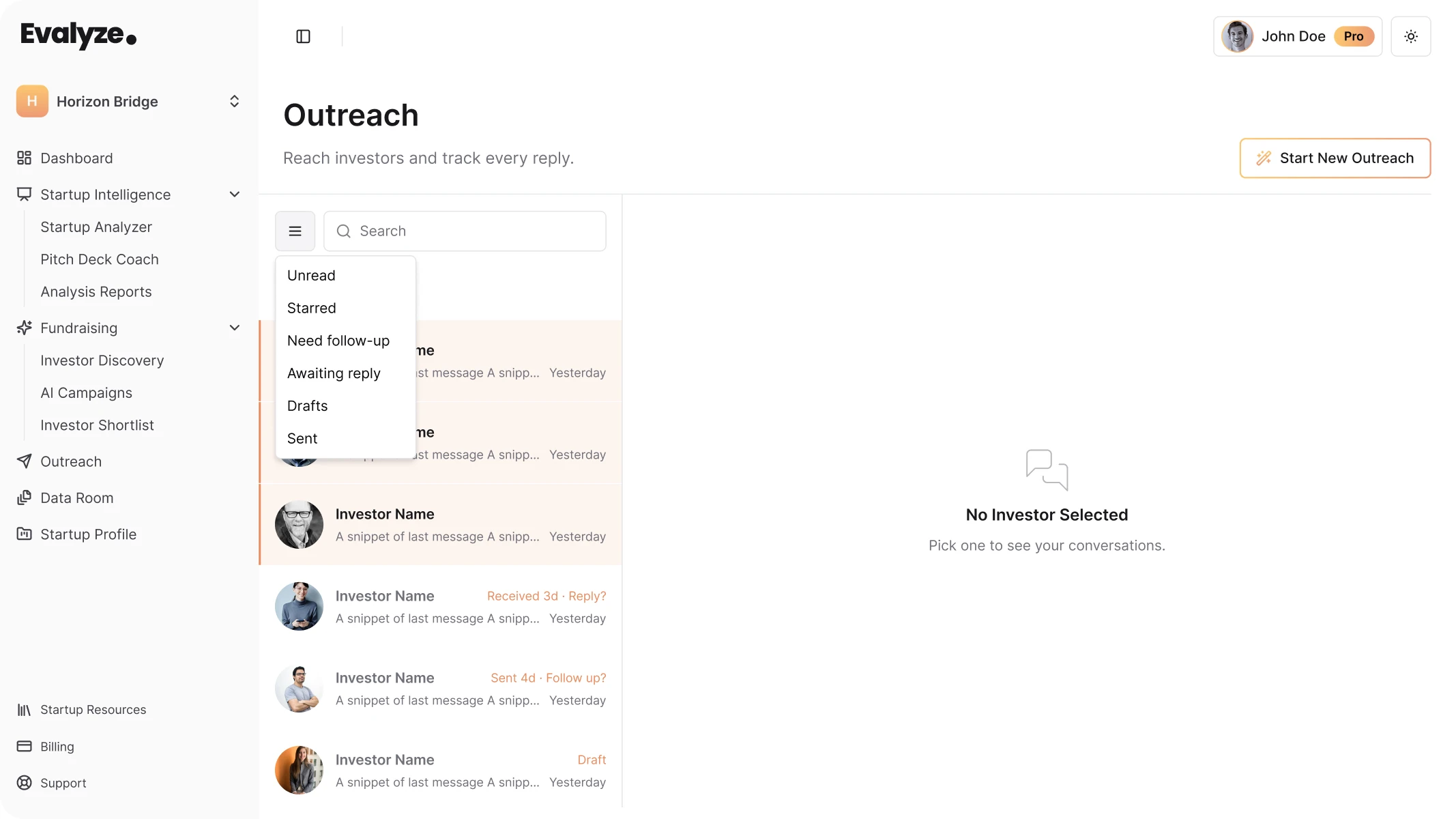
You can use inbox filters to find conversations that are unread, awaiting a reply, need follow-up, remain in draft, or have already been sent.
Open an investor thread whenever you need to review the previous exchange, reply, or continue the conversation.
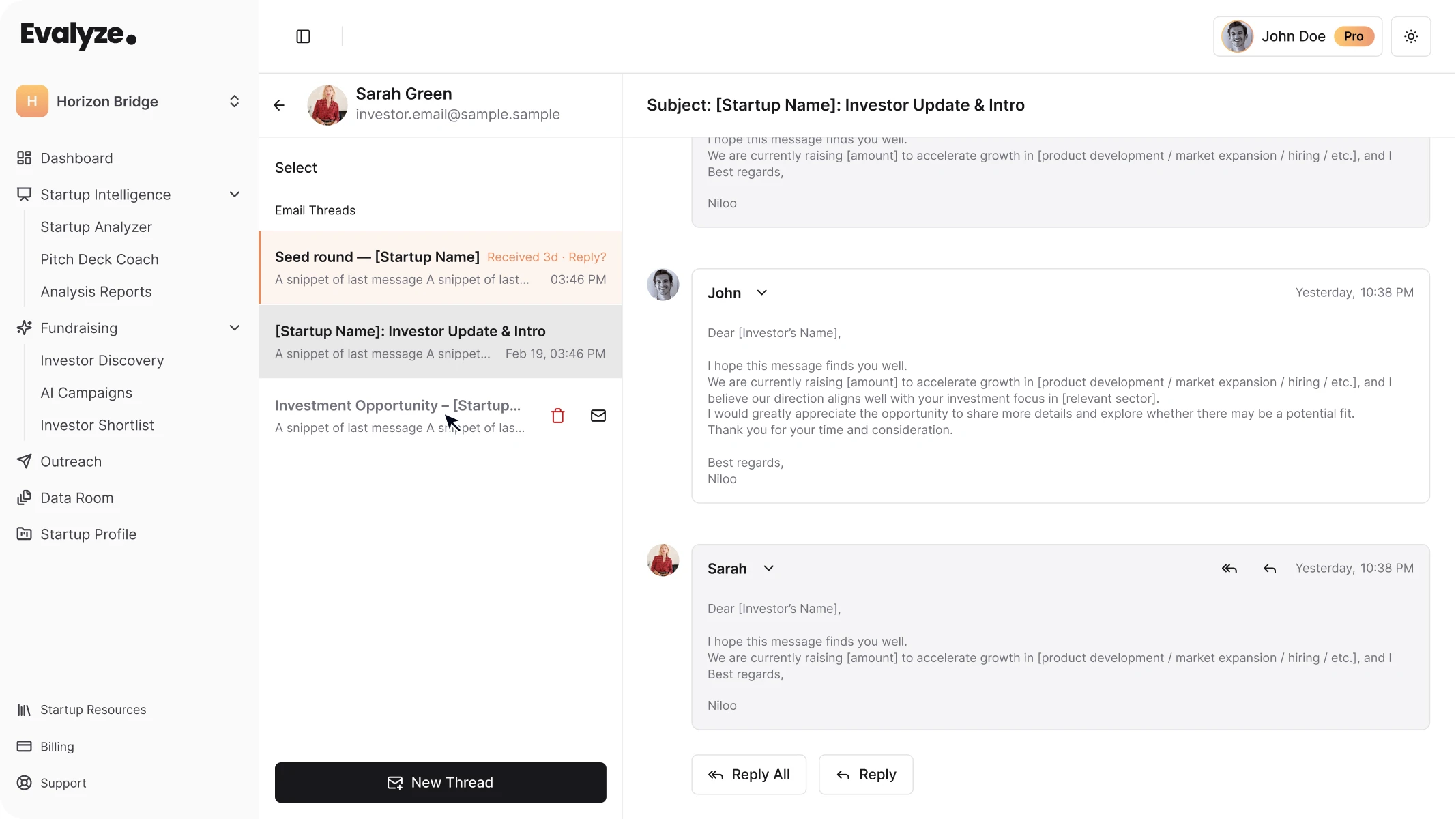
Keeping the conversation history inside Evalyze makes it easier to see where each investor relationship stands without maintaining a separate outreach spreadsheet.
Open Outreach, connect Gmail, and choose Start New Outreach.
Select the investor carefully. Pick the strategy and tone that match the situation. Then review the draft as closely as you would review an email written entirely by hand.
FAQ
Evalyze is AI that runs your fundraising for pre-seed to Series A founders: readiness scoring, deck review, investor matching, and outreach you approve.
October 26, 2026
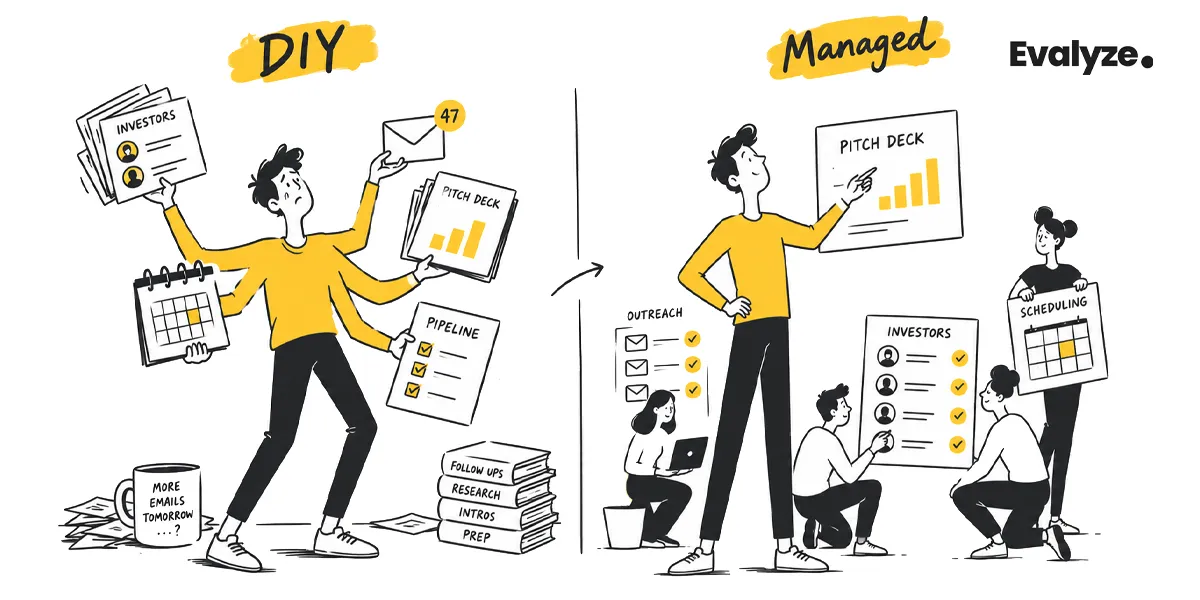
Compare DIY and managed fundraising, what founders can delegate, and when Evalyze Managed Fundraising may fit an active startup raise.
September 12, 2026